



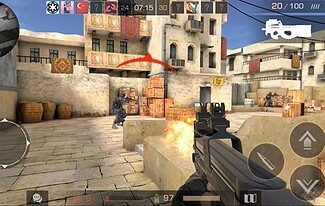
Standoff 2 has emerged as one of the most compelling tactical first-person shooters in the mobile gaming landscape, attracting millions of players worldwide with its Counter-Strike-inspired gameplay and competitive multiplayer modes. This free-to-play title delivers intense 5v5 team battles, weapon customization systems, and skill-based combat that rewards strategic thinking and precise aim.
While originally designed for mobile devices, PC gamers can now experience Standoff 2’s adrenaline-pumping action on larger screens with enhanced controls through Android emulation.
Competitive Gameplay That Demands Strategy
Standoff 2 distinguishes itself through carefully balanced tactical combat mechanics. Players engage in objective-based matches where terrorists and counter-terrorists face off across multiple game modes including Defuse, Deathmatch, and Arms Race.
Each round requires coordination with teammates, economic management for purchasing weapons, and map knowledge to outmaneuver opponents.
The weapon arsenal features realistic firearms ranging from pistols and SMGs to assault rifles and sniper rifles. Every gun exhibits unique recoil patterns, damage profiles, and handling characteristics that players must master.
Market research from Newzoo indicates that tactical shooters emphasizing skill development retain players 40% longer than casual alternatives, explaining Standoff 2’s dedicated community.
Visual Polish and Performance Optimization
The game showcases impressive graphics for a mobile title, with detailed weapon models, dynamic lighting effects, and well-designed competitive maps. Environments range from industrial complexes to desert compounds, each offering strategic chokepoints and tactical opportunities. The visual fidelity rivals many PC-native shooters while maintaining smooth performance across various hardware configurations.

Key Technical Features:
- 60 FPS gameplay support for fluid combat
- Customizable graphics settings for performance tuning
- Low-latency netcode for responsive online matches
- Regular content updates introducing new weapons and maps
- Anti-cheat systems protecting competitive integrity
Thriving Esports and Community Engagement
Standoff 2 has cultivated a vibrant competitive scene with tournaments, clan systems, and ranked matchmaking. Players can join organizations, participate in league competitions, and climb skill-based ladders. The developer Axlebolt actively supports the community through seasonal events, limited-time modes, and cosmetic rewards that keep the experience fresh.
User reviews consistently praise the game’s fair free-to-play model—cosmetic items don’t impact gameplay balance, ensuring victories depend on skill rather than spending. This approach has earned Standoff 2 a 4.5+ star rating across major app stores with over 100 million downloads globally.
Why PC Gaming Enhances the Experience
Playing Standoff 2 on Windows computers provides significant competitive advantages. Keyboard and mouse controls offer superior precision for aiming compared to touchscreen inputs, while larger monitors improve situational awareness during intense firefights. The increased screen real estate helps players spot distant enemies and react faster to threats.
PC hardware also eliminates performance constraints found on budget mobile devices, ensuring consistent frame rates during crucial moments. Battery life concerns disappear, allowing extended gaming sessions without interruptions.

Installing Standoff 2 on Your Windows PC
Experiencing this tactical shooter on your computer requires an Android emulator—software that creates a virtual mobile environment on Windows. MemuPlay offers excellent performance for gaming applications with optimized controls and graphics rendering.
Installation Process:
- Download MemuPlay from the official website and complete the setup
- Launch the emulator and sign in to your Google account
- Open the Google Play Store within MemuPlay
- Search for Standoff 2 and click Install
- Configure keyboard mapping for movement, aiming, and shooting
- Access Standoff 2 download pc resources for additional optimization guides
Once installed, adjust graphics settings within the game to match your PC’s capabilities, then jump into practice modes to familiarize yourself with keyboard controls before entering competitive matches.